
🟧 Background
🟧 Background
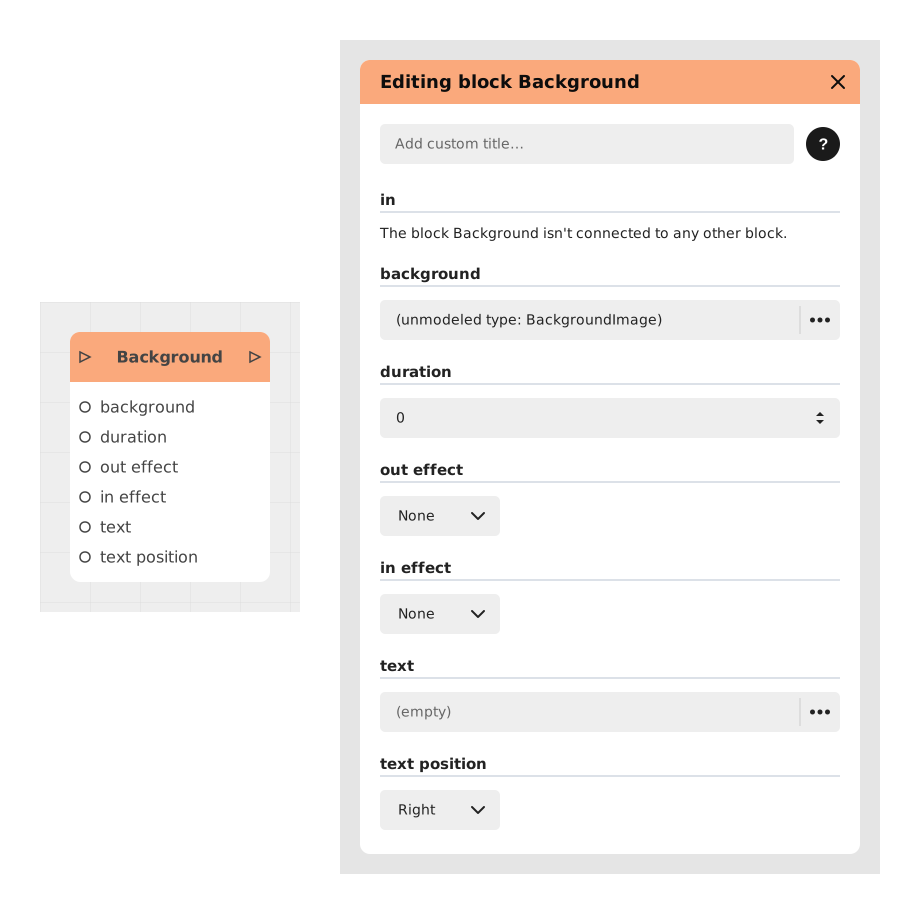
The Background block allows you to dynamically change the visual background of an app or story, applying images, solid colors, or text with customizable transition effects.
This block is ideal for creating immersive visual ambiances, adapting the background according to the narrative context, or adding temporary textual elements without modifying the overall structure of the interface.
📥 Entries
- in (Trigger): Trigger for background change. The background is modified as soon as the flow crosses this block.
- background: Image or color to apply in the background. Can be a URL, a local path, or a hexadecimal value for colors.
- duration (Number): Duration of the transition in seconds (default: 0, i.e. an instantaneous change).
- outEffect (String): Animation effect applied to the old background when replacing it (eg: Slide, Fade, Zoom).
- inEffect (String): Animation effect for the appearance of the new background.
- text (String): Optional text to display superimposed over the background.
- textPosition (String): Text alignment (left, center or right, default: right).
📤 Outings
- out (Trigger): Activates as soon as the background transition command is launched, allowing other actions to be chained.
💡 Example of use
Scenario: Change of atmosphere for a night scene
- The user completes a dialogue sequence in a daytime setting.
- The narrative flow reaches a point where the story shifts toward night.
- The Background block is placed in the flow with the following parameters:
- background: An image of a starry sky.
- duration: 1.5 (gradual fade transition).
- inEffect: Fade.
- text: "Night falls on the city...".
- textPosition: center.
- The current background is replaced by the starry sky with smooth animation, and the text appears briefly.
- The flow continues towards the next interaction (eg: a dialogue choice or an action).
⚙️ Technical Details
- Transition management: The inEffect and outEffect effects use preconfigured CSS animations. If an unsupported effect is provided, the block uses a default fade.
- Compatibility: Overprinted text inherits the application's default styles, but can be customized via additional CSS blocks.
- Performance: For heavy images, allow a loading time before the transition (eg: via a Preloading block).
Documented version: v1
Updated on: 06/09/2026
Thank you!