
⬜ Comment
⬜ Comment
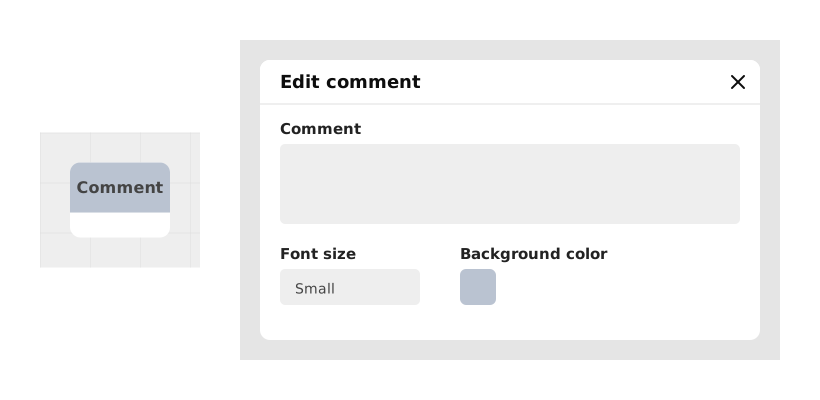
The Comment block allows you to add notes, explanations or reminders visible only in the editor, without impacting the execution of the project.
This block is an organizational tool for creators to document complex logic, mark TODOs, or clarify sections of the graph. It does not affect the performance or behavior of the final application for the end user.
📥 Entries
- text (Text): Content of the comment displayed in the editor. Allows you to write notes, explanations or reminders visible directly on or next to the block.
- color (Background color): The block's background color in the editor, so you can spot comments at a glance.
- font size (Small / Medium / Large): The size of the text shown in the block.
📤 Outings
- No output: This block is not executed and generates neither flow nor value. It has no logical connection to the rest of the application.
💡 Example of use
Scenario: Add a reminder for a future update
- You are working on a complex graph managing the quests of a narrative game.
- You are planning to add a dynamic rewards system, but it is not implemented yet.
- You place a Comment block where the rewards system should be integrated.
- In the text field, you write: "TODO: Implement reward calculation based on player level (see ticket #42). Use PlayerLevel variable to adjust winnings."
- You color the block orange to make it more visible among the other blocks.
⚙️ Technical Details
- Performance impact: None. This block is ignored at runtime and does not affect project resources.
- Best practices: Use distinct colors to categorize comments (eg: red for warnings, green for TODOs, blue for explanations). This improves the readability of complex graphs.
Documented version: v1
Updated on: 06/09/2026
Thank you!