
⬜ CSS
⬜ CSS
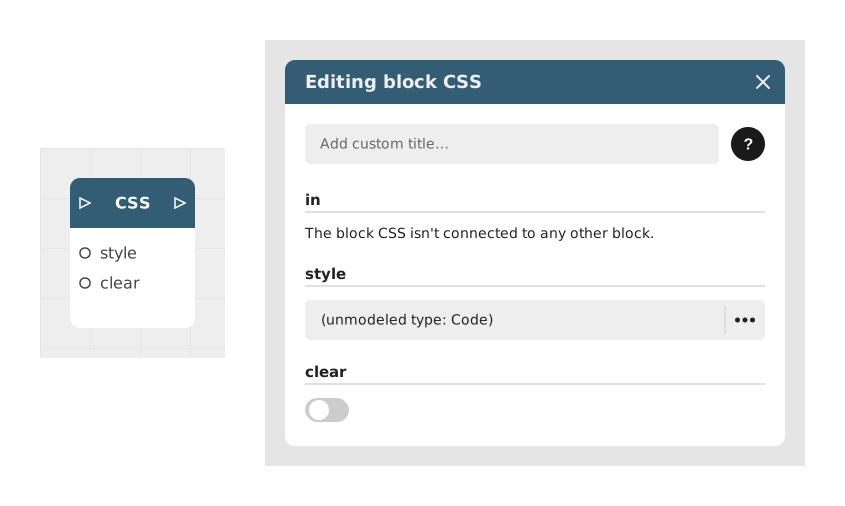
CSS is a language used to change the visual appearance of an element (colors, shapes, sizes, animations) — a bit like choosing the formatting of a text, but with many more possibilities. The CSS block lets you write this style code directly in your Celestory project, to go further than the built-in visual settings: rounded corners, shadows, animations, and so on.
This block is aimed mainly at users comfortable with code, or willing to copy-paste a snippet found online, to get a precise look that Celestory's built-in styles don't allow.
📥 Entries
- in (Trigger): Triggers the application of the CSS code.
- style (Text): Contains the CSS code to execute. A built-in mini-editor makes typing easier.
- clear (Boolean): If enabled (True), clears previously injected CSS styles before applying new code (disabled by default).
📤 Outings
- out (Trigger): Activates immediately after injecting or clearing the CSS style, allowing the flow to continue.
💡 Example of use
Scenario: Customizing a button with an animation
- The user wants to change the appearance of a button in their application to make it more dynamic.
- It places the CSS block in its graph, after displaying the button concerned.
- In the style entry, he writes the following code:
`css
.my-button {
background-color: #4CAF50;
border-radius: 12px;
transition: transform 0.3s;
}
.my-button:hover {
transform: scale(1.1);
}
- The block immediately applies the style to the button, which turns green with rounded corners and animates on hover.
- The flow continues to the next step, where the user can test the interaction with the button.
⚙️ Technical Details
- Styling management: The CSS code is injected into the web view DOM and remains active until another CSS block with clear enabled is executed.
- Targeting of elements: The CSS selectors must correspond to the classes or IDs of the elements generated by Célestory (ex: .celestory-button).
- Limitation: Applied styles may be overwritten by more specific or later CSS rules in the flow.
Documented version: v1
Updated on: 06/09/2026
Thank you!