
🟦 Decrement
🟦 Decrement
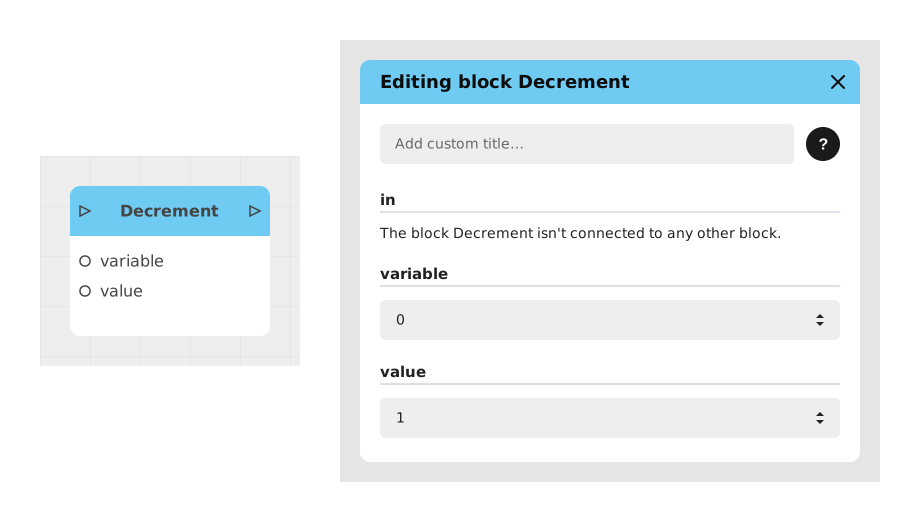
The Decrement block allows you to subtract a precise value from a Number type variable, providing a convenient shortcut for operations like removing life points, decreasing a counter or adjusting a balance without manual calculation.
This block simplifies arithmetic operations by automating subtraction (variable = variable - value), thus avoiding errors and speeding up flow design.
📥 Entries
- variable (Number): The targeted numeric variable, previously defined in the project. When it is chosen in the editing window and nothing is wired to
variableorvalue, the block is drawn compact as « variable - value » with onlyinandout: the variable and the value are then set in the editing window. - value (Number): The number to subtract from the variable (default: 1).
📤 Outings
- out (Stream): The output flow that activates after the decrement is successful.
💡 Example of use
Scenario: Management of life points in a game
- The player takes damage after an enemy attack.
- The system checks that the life points (player_pv) are greater than 0.
- The Decrement block is called with:
- variable = player_pv (current value: 30).
- value = 5 (damage inflicted).
- The player_pv variable changes to 25.
- The output stream (out) triggers a check to display a message ("Damage taken!") or activate a visual effect.
⚙️ Technical Details
- Behavior: The decrement is immediate and directly modifies the target variable. No type validation is performed (make sure variable is of type Number).
- Default value: If value is not specified, the subtraction is 1.
Documented version: v1
Updated on: 23/09/2026
Thank you!