
🟦 Dialogue
🟦 Dialogue
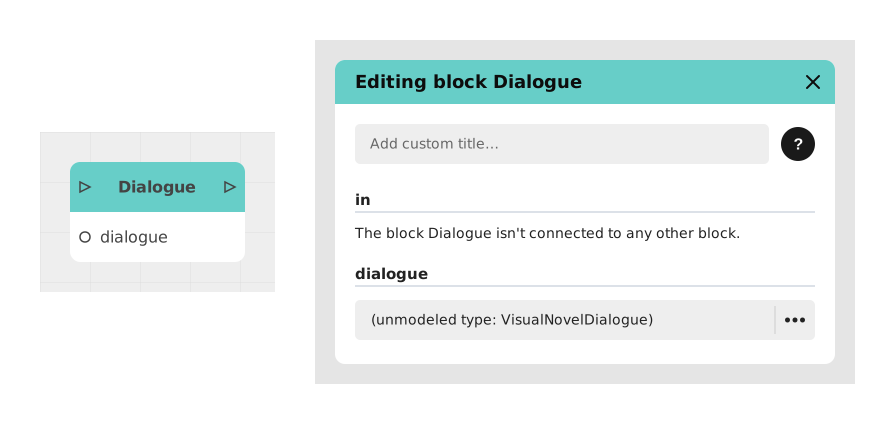
The Dialogue block allows you to display a series of messages sent by one or more characters, with media management and dynamic variables, to create rich conversations in narrative games and chatbots.
This block is essential for structuring text and multimedia interactions, allowing advanced customization via predefined variables and formats.
📥 Entries
- dialogue (A): Editing space where you write the dialogue script, line by line.
- content (Content): Allows you to insert media (image or sound) which will accompany the text of the dialogue.
- {{Variables}} (Text/Number/Boolean): Words framed by {{MyVariable}} in text automatically generate dynamic inputs to inject custom values.
📤 Outings
- out (▶): The stream exits once the entire dialog has been read or displayed to the user.
💡 Example of use
Scenario: Personalized welcome in a customer support chatbot
- The user starts a conversation with the chatbot.
- The Dialogue block is triggered to display a welcome message.
- In the dialogue field, you write:
Hello {{FirstName}}! How can I help you today?
- A FirstName (Text) entry is automatically created and connected to a variable containing the user's first name.
- The chatbot displays the personalized message and then waits for a response from the user to continue the flow.
⚙️ Technical Details
- Variable management: Placeholders written between {{}} are automatically detected and transformed into configurable inputs, provided the name uses only the allowed characters.
- 🔺 Valid variable names: only unaccented letters, digits and the underscore (a-z, A-Z, 0-9, _) are recognized. A name containing an accent, a hyphen or a space ({{Prénom}}, {{my-score}}, {{FirstName}}) is not detected: no entry is created, no error message appears, and the placeholder is displayed as-is on screen. Case matters: {{firstname}} and {{FirstName}} are two distinct entries.
- Media: The content field accepts image (JPG, PNG) and audio (MP3, WAV) formats; video is not supported in this field.
- Display: The block manages the display order of messages and media for a smooth user experience.
Documented version: v1
Updated on: 23/09/2026
Thank you!