
🟪 Generate JSON
🟪 Generate JSON
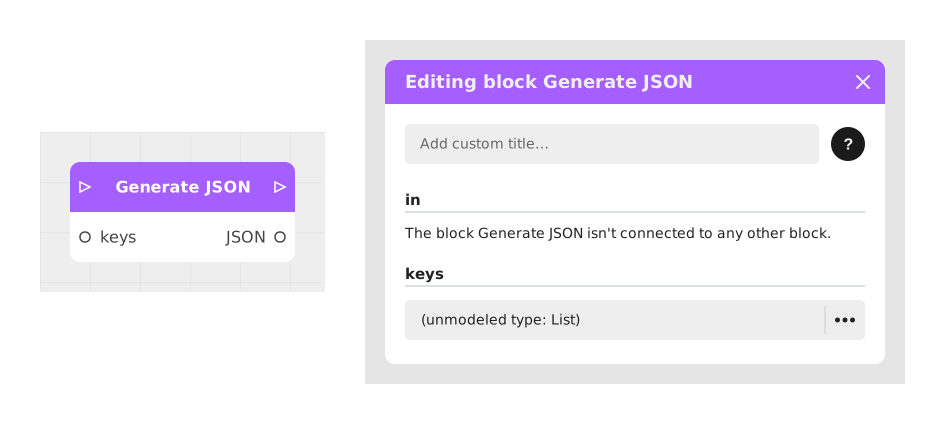
The Generate JSON block combines several of your variables (text, numbers, lists, Booleans) into a single organized block of data, in "JSON" format: a standard way of writing structured information that most websites and online services know how to read.
This block is mainly useful when you need to send several pieces of information at once to an external service (for example through a Webhook), instead of sending them one by one.
📥 Entries
- keys (List[Text]): List of variable names to include in the final JSON. Each element in this list dynamically generates a corresponding entry for the associated values.
- (Dynamic variables): Entries automatically generated for each specified key, accepting Text, Number, Boolean or List values.
📤 Outings
- out (Flow): Continuation of the execution flow after generating the JSON.
- json (Text): Formatted JSON string containing structured data, ready to be transmitted or stored.
💡 Example of use
Scenario: Preparing an API request for a reservation system
- A user fills out a form with their name, age and the list of desired services.
- Data is stored in variables: name (Text), age (Number), services (List[Text]).
- The Generate JSON block is placed in the flow to structure this data.
- The keys entry is populated with the list ["name", "age", "services"].
- The variables name, age and services are connected to the generated dynamic inputs.
- The resulting JSON is sent via a Webhook block to create a reservation in the external system.
⚙️ Technical Details
- Dynamic input generation: Inputs for values are created automatically based on the keys list, allowing flexible adaptation to the needs of the scenario.
- Supported types: The block accepts Text, Number, Boolean, List and Object types for dynamic values.
- Output format: The json output is a valid string according to the JSON standard, compatible with most systems and programming languages.
Documented version: v1
Updated on: 23/09/2026
Thank you!