
🟩 Input text
🟩 Input text
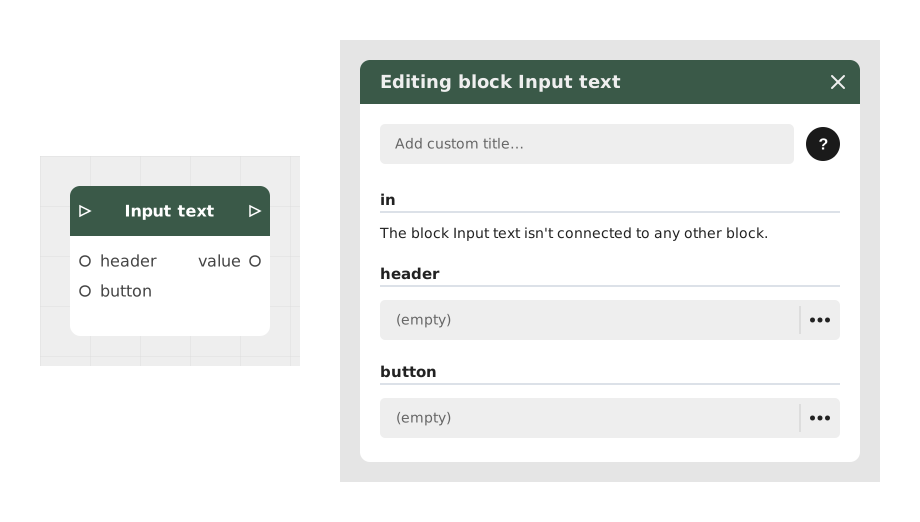
The Input text block lets the player type some text, for a dialogue, a riddle, or a sign-up.
That text can then be reused in the story, for example to display the player's name or check an answer.
📥 Entries
- header (Text): the question or instruction shown to the player (e.g.: "Enter your first name").
- button (Text, default "OK"): the text shown on the confirm button.
📤 Outings
- Outgoing Stream: continues the story once the player has confirmed their entry.
- value (Text): the text entered by the player, ready to be stored or reused.
💡 Example of use
Scenario: Registration for a magical tournament
- The player arrives in front of a role-playing registration scroll.
- A Narration block displays: "To participate, write your hero name below."
- The Input text block is set up with the header "Your legendary name..." and the button "Confirm".
- The player types "Aragorn" and confirms.
- The Outgoing Stream continues the story, and the value entered is reused further on (e.g.: "Welcome, Aragorn!").
⚙️ Technical Details
- Character handling: spaces at the start and end of the text are automatically removed.
- Security: the entered text is cleaned up to avoid malicious injections in later processing.
- AI compatibility: this block can be used as a starting point for interactions with language models (e.g. generating personalized replies).
Documented version: v1
Updated on: 23/09/2026
Thank you!