
🟦 Load sound
🟦 Load sound
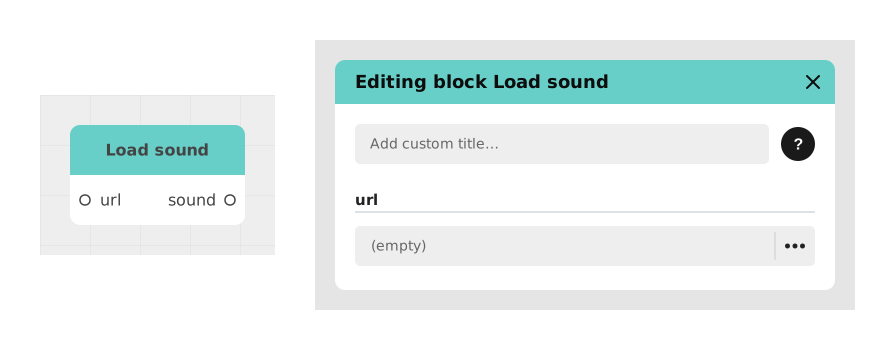
The Load sound block lets you fetch a sound hosted somewhere on the internet (via its URL) and use it directly in your Celestory story, without needing to import it into your project.
This is useful when the sound is likely to change (for example an audio track updated regularly on an external site): your story will always play the latest version, automatically.
📥 Inputs
- url (Text): The web address (URL) pointing directly to the sound file to load (e.g. https://mysite.com/sounds/music.mp3).
📤 Outputs
- sound (Sound): The sound fetched from the URL, ready to be plugged into an audio playback block (such as a Play music or Play sound block).
💡 Example of use
Scenario: Play a regularly updated audio track
- Your story needs to play a background sound hosted on an external server.
- You retrieve the address (URL) of this sound file, for example from a Text block or a variable.
- You connect this URL to the url input of the Load sound block.
- The block fetches the matching sound and makes it available on its sound output.
- You connect this output to a Play music block: the track plays, and if you replace the file on the server, the new version will be used automatically the next time it loads.
⚙️ Technical Details
- Internal identifier:
soundFromUrl - No flow entry point: This block has no "in" input: it does not sit within the sequence of actions, it only acts as a converter that turns a URL into Sound-type data usable by other blocks.
- URL compatibility: The address must point directly to a sound file (.mp3, .wav, .ogg, etc.). A link to a web page (rather than the file itself) will not work.
- CORS: The server hosting the sound must allow cross-origin requests so Celestory can fetch it from the browser.
Documented version: v1
Updated on: 23/09/2026
Thank you!