
🟪 Pause
🟪 Pause
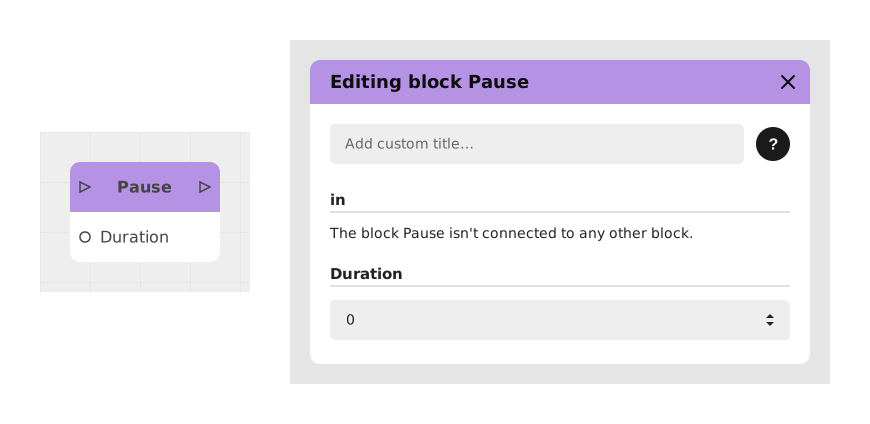
The Pause block allows you to pause the execution of the flow for a defined duration before continuing with the next action.
This block is particularly useful for punctuating an experience by giving the user time to read a text, observe a visual element, create an effect of suspense or synchronize animations.
📥 Entries
- in (Flow): Entry point triggering the start of the pause timer.
- duration (Number): Duration of the pause in seconds (e.g. 1 or 2.5). If left empty, the pause defaults to 0 seconds (i.e. no pause).
📤 Outings
- out (Flow): Out point automatically activated after the specified time has elapsed.
💡 Example of use
Scenario: Reading an important message
- A “Text” block displays a critical instruction to the user.
- The stream then passes into the Pause block with duration set to 3 seconds.
- During this time, the user can read the message without being interrupted.
- After 3 seconds, the out output triggers a “Button” block offering response options.
- The experience continues based on the user's choice.
⚙️ Technical Details
- Flow behavior: The timer only blocks the flow passing through the block, without affecting other parallel branches of the application.
Documented version: v1
Updated on: 23/09/2026
Thank you!