
🟧 Play music
🟧 Play music
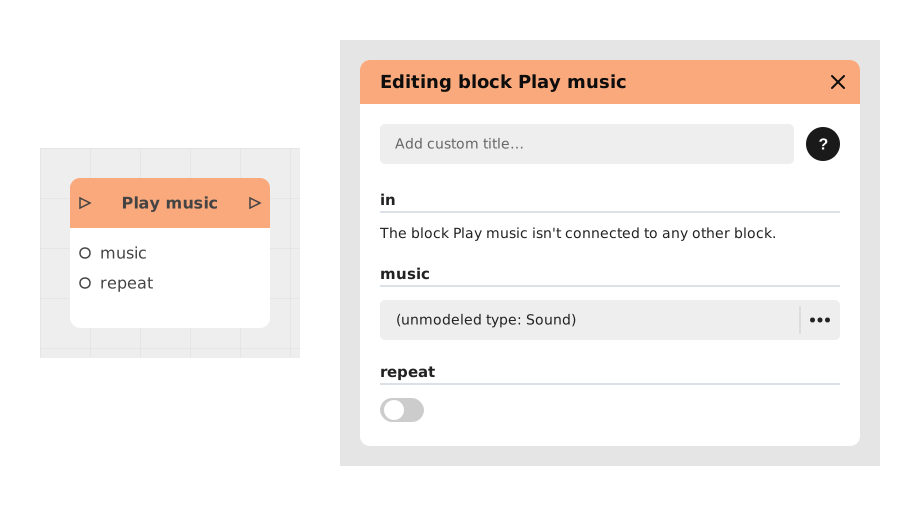
The Play music block allows you to launch an audio track in the background, ideal for background music or continuous sound loops.
Unlike the Play Sound block which is designed for one-off effects, this block is optimized for background playback, with an auto-repeat option.
📥 Entries
- music (Sound): The audio file (mp3, wav) containing the background music to play.
- repeat (Boolean): If activated (True), the music repeats in a loop. Disabled (False) by default.
📤 Outings
- out (Flow): The logic flow continues immediately after the music starts, without waiting for it to end.
💡 Example of use
Scenario: Ambient music for an adventure game
- The player enters an enchanted forest.
- The flow reaches a Condition block checking the current area (enchanted_forest).
- The Play music block is activated with:
- music: ambience_foret.mp3
- repeat: True (for a continuous loop)
- The music starts in the background, and the stream moves to the next block (showing a welcome message).
- The player explores the forest while the music persists until another audio block replaces or stops it.
⚙️ Technical Details
- Asynchronous behavior: The music continues to play even after moving to the next block, without blocking the stream.
- Supported formats: MP3 and WAV (prefer MP3 for reduced weight).
- Loop management: If repeat is disabled, the music stops naturally at the end of the file.
Documented version: v1
Updated on: 06/09/2026
Thank you!