
🟥 Switch
🟥 Switch
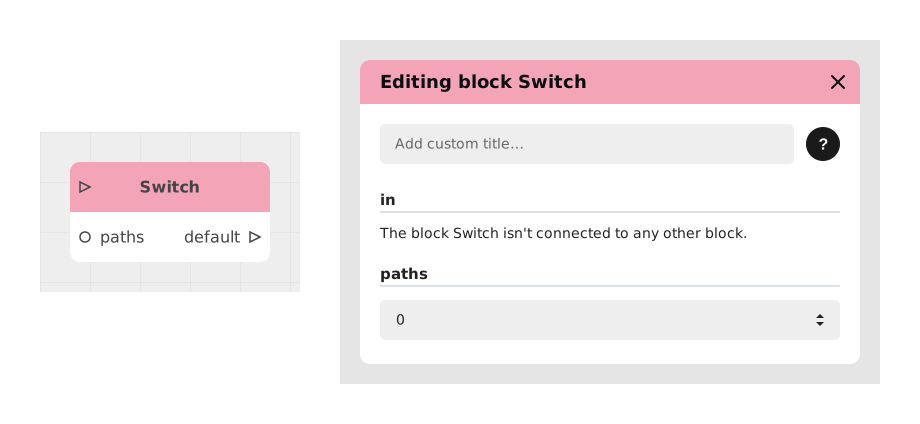
The Switch block allows you to check a series of conditions in parallel and route the flow to the first branch whose condition is true, thus avoiding the stacking of "Condition" blocks.
This block acts as a logical switch, ideal for managing mutually exclusive cases or prioritizing checks in a specific order.
📥 Entries
- in (Signal): Triggers the evaluation of conditions. The checks are carried out in numerical order (1, 2, 3...).
- paths (Integer): Defines the number of test paths to create. Dynamically changes the number of available inputs and outputs.
- 1, 2, 3... (Boolean): Logical inputs corresponding to the conditions to be evaluated. Each input can be connected to a condition block or forced to True/False.
📤 Outings
- 1, 2, 3... (Signal): Outputs activated if the corresponding condition is the first evaluated as true.
- default (Signal): Default output used if none of the conditions are true.
💡 Example of use
Scenario: Management of rewards according to the player's score
- A player completes a level with a score recorded in the player_score variable.
- The Switch block is configured with paths = 3 to manage 3 reward levels.
- The inputs are connected as follows:
- 1: Condition "player_score > 1000" (Gold reward)
- 2: Condition "player_score > 500" (Silver reward)
- 3: Condition "player_score > 0" (Bronze reward)
- If the score is 750, condition 2 is the first true: the flow takes exit 2 to award the Silver reward.
- The default output is connected to a “Try again!” message. for zero or negative scores.
⚙️ Technical Details
- Order of evaluation: The conditions are checked sequentially (1 → 2 → 3...). As soon as a condition is true, the following ones are ignored.
- Variable management: Boolean inputs can be populated with dynamic comparisons or static values.
- Default output: Always present, even if not used explicitly. Omitting it from the flow can cause unexpected behavior.
Documented version: v1
Updated on: 23/09/2026
Thank you!