
⬜ Story
⬜ Story
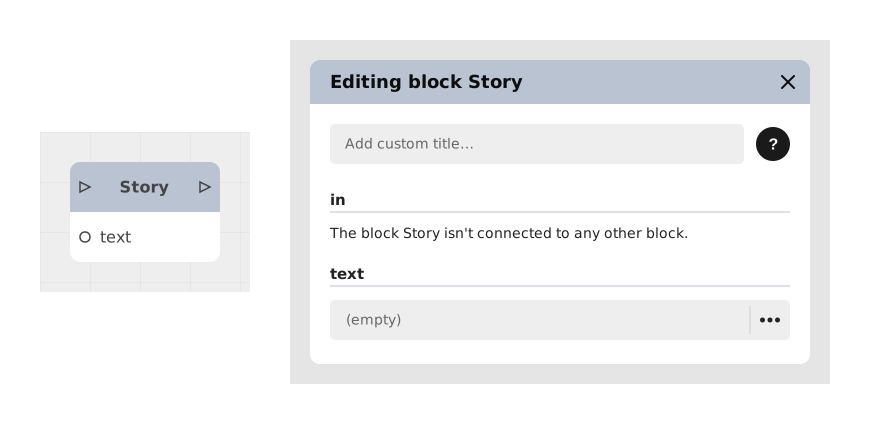
The Story block displays a narrative text to the player, even a long one (several paragraphs), all at once.
It's the simplest tool for telling a piece of story: unlike the Narrator block, which shows one short line at a time, the Story block saves you from splitting a long text into a long chain of small blocks connected on the canvas.
📥 Inputs
- text (Multiline Text): The story text to show the player. It can contain several paragraphs.
📤 Outputs
- out (Stream): Activates once the text has been shown, to continue with the rest of the flow (another Story block, a Choice, a change of scenery, etc.).
💡 Example of use
Scenario: Introducing a village at the start of the game
- The player arrives in a village for the first time.
- A Story block is placed on the canvas to set the scene.
- In the text field, the designer writes a short multi-paragraph passage, for example:
"The village of Stonevale still sleeps under the morning mist.
Wary of strangers, its people quickly shut their windows as you pass by."
- The text appears on screen, and the player reads it at their own pace.
- Once the reading is done, the out output activates and the flow continues to a Choice block or a new scene.
⚙️ Technical Details
- This block has a single multiline text field: there is no internal editor for managing several lines, characters, or backgrounds within one Story block. For a scene that alternates between several speakers or background changes, chain several blocks instead (Narrator, Dialogue, Background image, etc.).
- Usage recommendation: Prefer this block over Narrator when you need to display a long passage of text all at once, without splitting it into several lines.
Documented version: v1
Updated on: 23/09/2026
Thank you!