
⬜ AI text request
⬜ AI text request
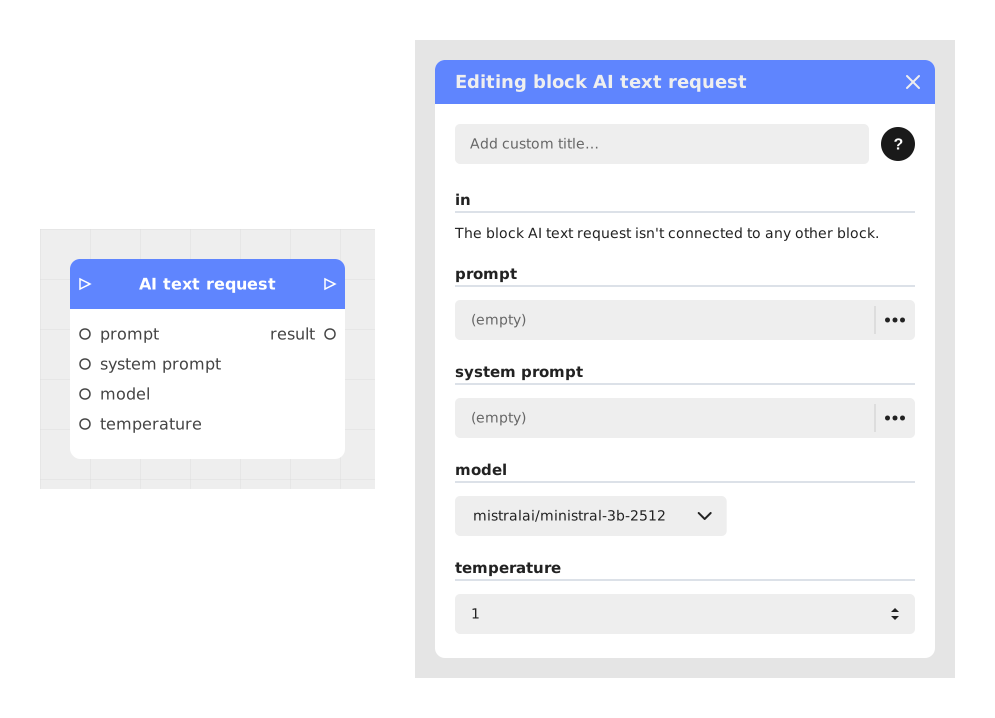
The Text AI Query block allows you to connect a scenario to text-based AI models (LLM) to generate dynamic and contextual responses, providing fluid and personalized interactivity.
This block sends the prompt and the system prompt to the chosen model to produce a new response, adapted to the context. It keeps no conversation history: each call starts from scratch. It eliminates the limitations of predefined responses by allowing free and scalable exchanges.
📥 Entries
- Prompt (Text): The instruction or question provided by the user (example: "How do you make a potion?").
- System prompt (Text - Optional): The personality or behavior rules that the AI must respect (example: "You are a wise old sarcastic wizard who refuses to help without flattery").
- Model (Dropdown): The AI model used to generate the response. Available values:
mistralai/ministral-3b-2512(default value) andgoogle/gemini-2.5-flash. - Temperature (Number, default value: 1): Adjusts the randomness/creativity of the generated response. A value of 0 is replaced by 0.5 by the server: for a stable answer, use 0.1.
📤 Outputs
- result (Text): The text produced by the AI in response to the prompt and the context (example: "A potion? Sigh. Another amateur. Show a little enthusiasm, and we'll see.").
- out (Stream): Signal triggered once the response has been generated. The block has a single flow output (no « if error » output): on a network failure the flow continues with an empty result, and if the server answers with an error, the text of that error becomes the result.
💡 Example of use
Scenario: Dialogue with a traveling merchant
- The player interacts with a character via a Text entry block: "What are you offering for sale?".
- The entered text is passed to the AI Text Query block via the Prompt input.
- The System prompt is defined as: "Clever merchant who exaggerates the value of his items and responds in rhymes".
- The block generates a response after a few seconds of processing.
- Through the out output, the result is displayed: "Rare treasures, my friend! A sword that shines like day, or a potion that cures love!".
- The flow continues based on the player's response (purchase, negotiation, etc.).
⚙️ Technical Details
- Token management: The prompt and the system prompt consume tokens. To optimize resources, keep them short and relevant. Writing
{{name}}in the prompt creates no input on this block: build the text with a Format text block, then plug it intoprompt. - Latency and moderation: Errors can occur in the event of a response time that is too long or content blocked by moderation filters.
Documented version: v1
Updated on: 23/09/2026
Thank you!