
🟪 Alter choice
🟪 Alter choice
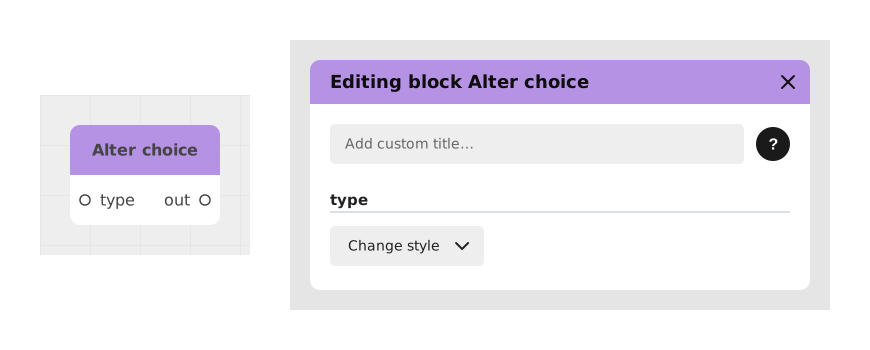
The Modify choice block allows you to create dynamic menus by altering in real time the response options (buttons) offered to the user. It plugs as a configuration value into an option of a Choice block to dynamically transform its appearance or behavior according to specific conditions.
This block is particularly useful for adapting the UI based on game state or previous actions, such as disabling an option if a condition is not met or changing its text to reflect a context change.
📥 Entries
- type (Type of operation): The action to apply to the option in the Choice block. The possible values are:
- disable: Makes the button grayed out and non-clickable.
- rename: Changes the button text.
- remove: Removes the option from the Choice block.
- changeStyle: Changes the visual appearance of the button.
- condition (Boolean): Determines whether the modification should be applied. Only for disable and remove types.
- text: The new text to display on the button. Only for disable, rename and remove types.
- textStyle: A style resource for changing the font or color of text. Only for disable, rename and changeStyle types.
- borderStyle: A resource defining the appearance of the button's borders. Only for disable, rename and changeStyle types.
📤 Outings
- out (Output Config): A "Value" type connector to be applied directly to the white textual entry point of the Choice block option to modify.
💡 Example of use
Scenario: Disable a dialog option if a condition is not met
- In your graph, place a Choice block with the option "Open secret door".
- Add a Modify choice block and select the disable operation in the type field.
- Connect a Boolean condition to the condition input that checks if the player has the key (PlayerOwnsKey == False).
- In the text entry, type: "You need a key to open this door.".
- Connect the out output of the Modify choice block to the "Open secret door" option of the Choice block.
- Result: If the player does not have the key, the option will appear grayed out with explanatory text.
⚙️ Technical Details
- Dynamic input management: The available inputs vary depending on the selected operation type (type). For example, the condition entry is only relevant for the disable and remove operations.
- Compatibility: This block must be used in conjunction with a standard Choice block. The out output must be connected to an existing option in the Choice block for the modification to be applied.
- Performance: Changes are applied in real time without reloading the graph, which allows for a smooth user experience.
Documented version: v1
Updated on: 06/09/2026
Thank you!