
🟪 Alter clickable zone
🟪 Alter clickable zone
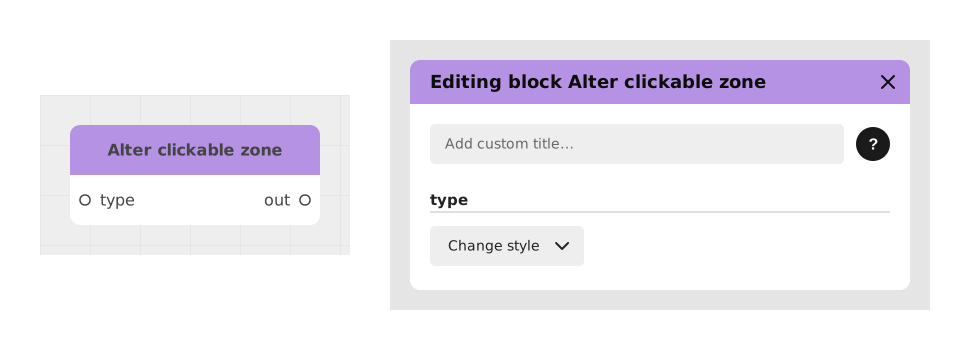
The Modify Clickable Area block allows you to dynamically modify the state, appearance or activation of a clickable area in a visual block (like Graph blocks).
This block is specially designed for transparent areas overlaid on images, offering functionality similar to the Edit choice block but adapted to visual interactions.
📥 Entries
- type (Operation type): The desired modification action from: disable, rename, remove (Hide), or changeStyle.
- condition (Boolean): Determines when the modification takes effect. Only for the disable and remove types.
- text (Text, Markdown format): The text associated with the bubble, tooltip or area. Only for the disable, rename and remove types.
- borderStyle (Border style): Sets the visual indicator of the area (boxed). Only for the disable, rename and changeStyle types.
📤 Outings
- out (ChoiceConfig): Configuration of the hotspot to connect to a hotspot option input.
💡 Example of use
Scenario: Disable a clickable area after interaction
- A player interacts with an interactive map representing a room with several clickable objects.
- After clicking the switch, the light will turn on and the clickable area of the bulb should be turned off.
- Add a Modify Clickable Area block with type set to disable.
- Configure the condition to be true when the LightOn variable is equal to true.
- Connect the out output to the configuration input of the "Bulb" clickable area in the visual block.
- Result: The clickable area of the bulb becomes inactive and no longer reacts to hovering or clicking.
⚙️ Technical Details
- Operations management: Each type of operation (disable, rename, remove, changeStyle) dynamically activates the required entries in the interface.
- Compatibility: This block only works with clickable areas defined in Markdown in visual blocks like Graph.
- Dynamic variables: The text and borderStyle inputs accept variables for real-time customization.
Documented version: v1
Updated on: 23/09/2026
Thank you!