
🟪 Video choice
🟪 Video choice
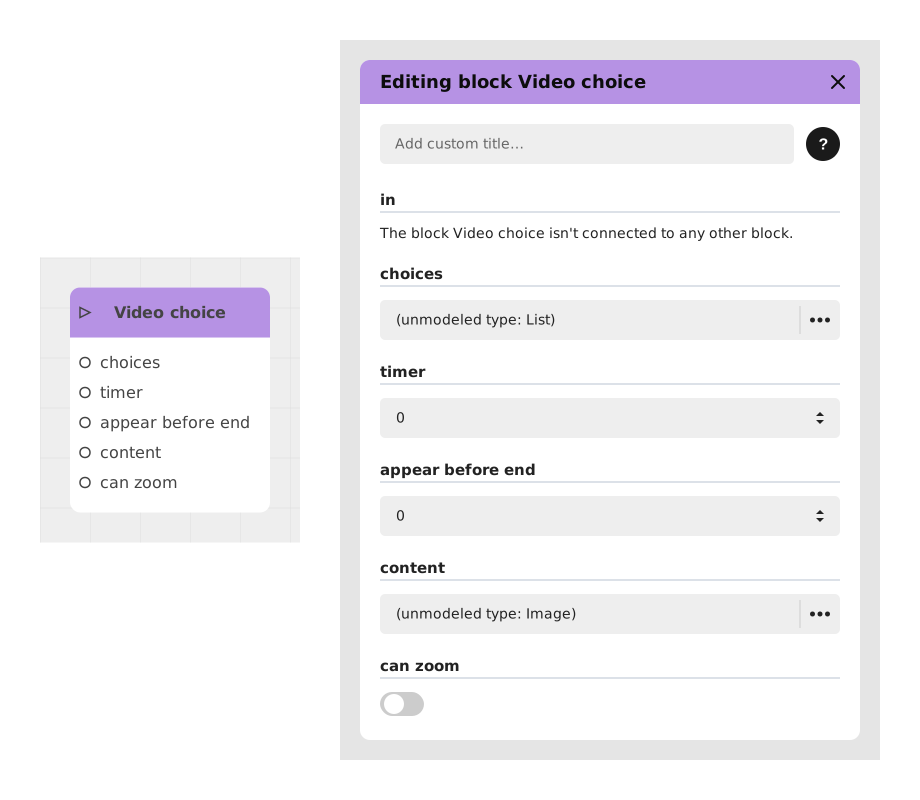
The Video choice block presents the player with a set of choices overlaid on a playing video — typically used in the Chatbot and Visual Novel templates for cinematic decision points.
📥 Inputs
- in (Stream): Entry point that triggers the display of the choices over the video.
- choices: The list of text options offered to the player (add one or more "Text" entries).
- timer (default: 0): Optional countdown before a default choice is made automatically (0 = no timer).
- appear before end (default: 0): Lets the choices appear before the video finishes playing, by the given amount of time.
- content: The video to play behind the choices.
- can zoom (default: false): Whether the player can zoom into the video.
📤 Outputs
- One dynamic output per choice, activated when the corresponding option is selected.
💡 Example of use
Scenario: A branching cutscene
- The content input plays a short cinematic clip.
- Two choices are added, set to appear 2 seconds before the video ends ("appear before end").
- The player picks an option before or right as the video finishes, and the flow continues from the matching output.
⚙️ Technical Details
- Template-specific block: Video choice is available in the Chatbot and Visual Novel templates rather than the generic block registry.
- Related blocks: see also the generic Choice and Audio choice blocks.
Documented version: v1
Updated on: 23/09/2026
Thank you!