
🟦 Format text
🟦 Format text
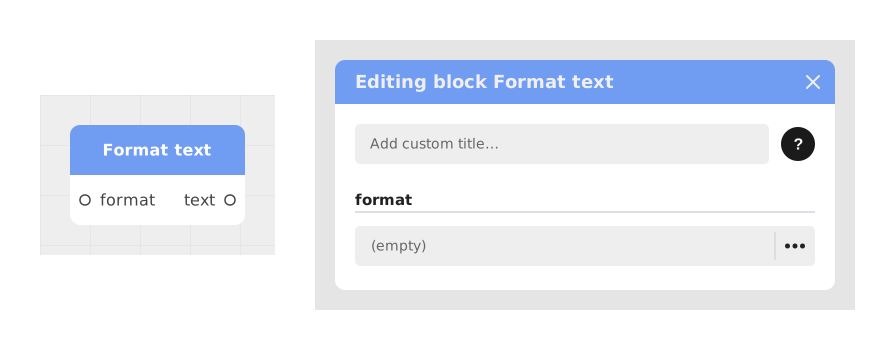
The Format text block allows you to generate dynamic sentences by integrating variables into a model text (eg: "Hello {{FirstName}}, you have {{Score}} points").
This block is particularly useful for constructing personalized messages without having to manually concatenate multiple textual elements.
📥 Entries
- format (Text): The template text containing the variables to replace, framed by double braces (eg: {{myVariable}}). The block automatically generates additional entries for each detected variable.
- Dynamic variables (Text/Number/Boolean): Entries created automatically for each variable found in the model text (eg: {{FirstName}} generates a FirstName entry).
📤 Outings
- text (Text): The final result after replacing the variables with their respective values, ready to be used in other blocks.
💡 Example of use
Scenario: Display a personalized welcome message with the player's score
- A player completes a game and obtains a score of 150 points.
- You want to display a message like "Congratulations John, you have obtained 150 points!".
- Add the Format Text block and configure the format entry with the text: "Congratulations {{FirstName}}, you have obtained {{Score}} points!".
- The block automatically generates two entries: FirstName (Text) and Score (Number).
- Connect the FirstName entry to a variable containing "John" and the Score entry to a variable containing 150.
- The block outputs the text "Congratulations John, you have obtained 150 points!", which you can display in a speech bubble or a message.
⚙️ Technical Details
- Dynamic generation of entries: The block analyzes the model text and automatically creates the entries corresponding to the detected variables (e.g.: {{myVariable}} → entry myVariable).
- 🔺 Valid variable names: only unaccented letters, digits and the underscore (a-z, A-Z, 0-9, _) are recognized. A name containing an accent, a hyphen or a space ({{Prénom}}, {{my-score}}, {{FirstName}}) is not detected: no entry is created, no error message appears, and the placeholder is displayed as-is on screen. Case matters: {{firstname}} and {{FirstName}} are two distinct entries.
- Supported data types: Variables can be of type Text, Number or Boolean. The block automatically converts values to text for final assembly.
- Error handling: If a variable is not connected, it is replaced by an empty string in the final text.
Documented version: v1
Updated on: 23/09/2026
Thank you!