
🟦 Increment
🟦 Increment
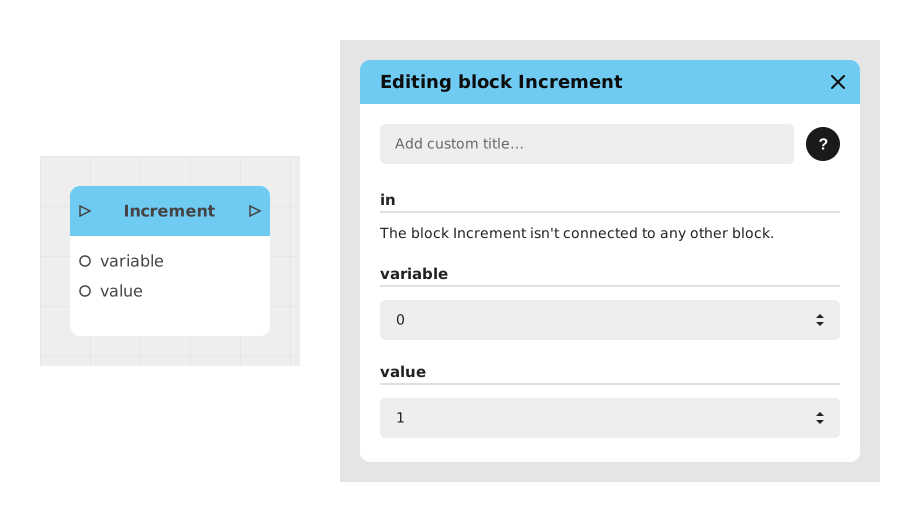
The Increment block allows you to increase the value of a numeric variable by a defined amount. It is particularly useful for managing scores, counters or resources in interactive experiences.
This block works like the opposite of the Decrement block and fits naturally into flows requiring digital progression (games, simulations, etc.).
📥 Entries
- variable (Number Variable): Numeric variable whose value will be increased. When it is chosen in the editing window and nothing is wired to
variableorvalue, the block is drawn compact as « variable + value » with onlyinandout: the variable and the value are then set in the editing window. - value (Number): Amount to add to the existing variable (default: 1).
📤 Outings
- out (Flow): Activates progression to the next blocks once the increment is complete, without visual feedback for the user.
💡 Example of use
Scenario: Counting gold coins in a game
- The user picks up a gold coin in the game.
- A trigger detects the collision with the part.
- The Incrementation block is called with:
- variable: Or_Collected (Number variable previously created)
- value: 1
- The value of Collected_Gold changes from 5 to 6 (if it was 5 before).
- The flow continues to a block displaying the new gold total on the screen.
⚙️ Technical Details
- Prerequisites: The target variable must be of type Number and initialized before use.
- Behavior: The increment is instantaneous and silent (no automatic visual feedback).
- Error handling: If the variable does not exist or is not of the correct type, the block produces no effect.
Documented version: v1
Updated on: 23/09/2026
Thank you!