
⬜ Make
⬜ Make
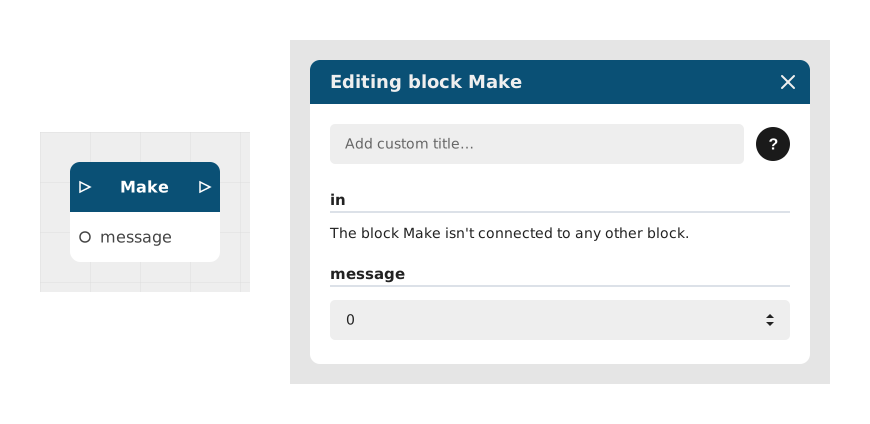
The Make block allows you to send data from your Celestory application to a Make scenario, thus connecting Celestory to thousands of external applications (sending emails, writing in a Google Sheet, Slack notifications, etc.).
This block acts as a trigger (webhook) which transmits information (text, number or boolean) to a previously configured Make URL.
📥 Entries
- in (Flow): Flow link that triggers the execution of this block.
- message (Text/Number/Boolean): Information to send to Make. Can be a static value or a dynamic variable from the user.
📤 Outings
- out (Stream): Flow link to continue the scenario after sending data to Make.
💡 Example of use
Scenario: Saving a user email in Google Sheets via Make
- Use a Enter text block to request the user's email.
- Store this value in a text type Variable.
- Connect this variable to the message input of the Make block.
- Configure a webhook in Make to receive this data, then link it to a Google Sheets module to register the email.
- Connect the out output of the Make block to a thank you block or the rest of the scenario.
⚙️ Technical Details
- Historical compatibility: The internal name integromat has been retained for backward compatibility reasons, although the platform is now called Make.
- Data format: The block accepts primitive types (text, number, boolean) and passes them to the Make webhook without transformation.
🔗 See also
- Zapier: equivalent for the Zapier platform.
- Voltask Webhook: optimized alternative for the Celestory-Voltask ecosystem.
- HTTP Request: to call an API directly without going through Make.
Documented version: v1
Updated on: 06/09/2026
Thank you!