
🟦 Microphone
🟦 Microphone
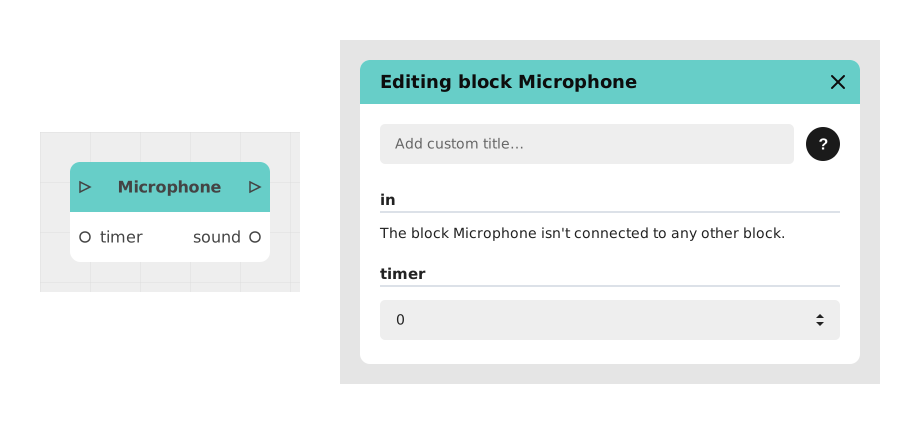
The Microphone block allows you to record the voice or sound coming from the user via the microphone of their device (computer or smartphone).
This block is particularly useful for adding voice interactivity to your module, especially in Chatbot type models (premium models). The user will be prompted to allow access to their microphone to perform the recording.
📥 Entries
- in (Stream): Flow link that triggers the registration request.
- timer (Number): (Optional) Maximum recording time allocated, in seconds.
📤 Outings
- out (Stream): Flow link to continue the scenario once recording is complete.
- sound (Audio file): Sound file generated by the user recording. Can be used for database storage or later listening.
- timeout (Flow): Feed link activated if a timer has been set and the user exceeds the time limit.
💡 Example of use
Scenario: Recording a voice message for an assistant
- The user arrives at an interface requesting a voice message.
- A Button block is placed to trigger recording.
- The Microphone block is configured with a timer of 30 seconds.
- The user clicks the button and allows access to the microphone.
- After recording, the sound output is sent to an API block for storage, while the out output displays a thank you message.
- If the user exceeds 30 seconds, the timeout output displays a warning message.
⚙️ Technical Details
- Permissions Required: This block requires access to the microphone via the browser. The user must accept the permission request for the block to work.
- Compatibility: Works on modern browsers (Chrome, Firefox, Edge, Safari) and mobile devices.
- Error handling: If access to the microphone is denied, the flow can be redirected to an alternative (eg: text input).
Documented version: v1
Updated on: 06/09/2026
Thank you!