
🟦 Narrator
🟦 Narrator
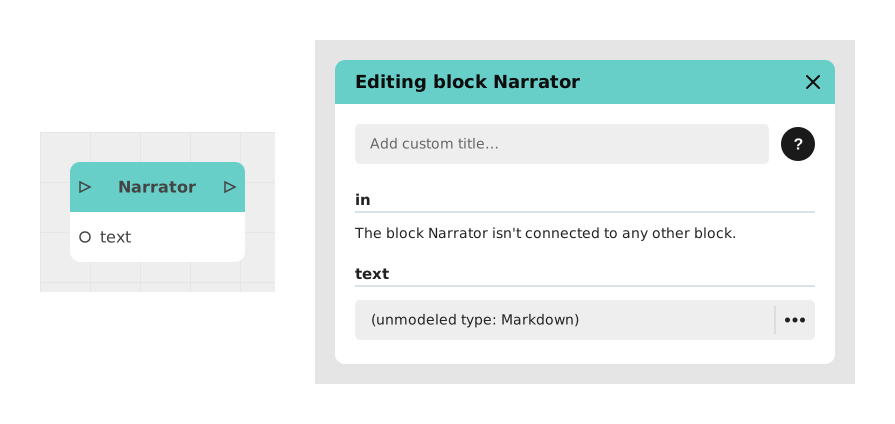
The Narrator block allows you to simulate real-time writing of messages ("typewriter" effect), adding dynamism and realism to dialogues in a Chatbot or Messaging format.
This block is particularly useful for creating immersive interactions where the user feels like a character or the system is composing the message, thereby increasing engagement.
📥 Entries
- in (Flow): Entry point triggering the progressive display of the message.
- text (Localized text, Markdown format): Content of the message, displayed progressively letter by letter. This field is not tied to a character (no avatar, no displayed name): it's a neutral narration voice, like in a book. Tip: writing a
{{variableName}}placeholder in the text automatically adds a matching input on the block — connect a variable to it to inject its value into the message as it displays.
📤 Outings
- out (Stream): Exit point activated after complete display of text.
💡 Example of use
Scenario: Receipt of a mysterious, personalized message
- The user receives a notification that a new message arrives.
- The Narrator block is triggered via its in input.
- In text, we write: "I'm waiting for you in front of the old library... Alone, {{firstName}}."
- A firstName input automatically appears on the block: connect it to the variable holding the player's first name.
- The text is displayed letter by letter, as if someone were writing it live, with the player's first name inserted in the right place.
- Once the message is fully displayed, the out output redirects to a Choice block offering the options "Go" or "Ignore".
⚙️ Technical Details
- Localization management: The text field supports translation via the Celestory language manager.
- Variables in the text: Each
{{name}}placeholder used in text creates a matching input on the block; its value (text, number or boolean) is inserted into the displayed message. - 🔺 Valid variable names: only unaccented letters, digits and the underscore (
a-z,A-Z,0-9,_) are recognized. A name containing an accent, a hyphen or a space ({{Prénom}},{{my-score}},{{ FirstName }}) is not detected: no entry is created, no error message appears, and the placeholder is displayed as-is on screen. Case matters:{{firstname}}and{{FirstName}}are two distinct entries. - Animation duration: The typing effect automatically adapts to the length of the text, with no manual settings required.
Documented version: v1
Updated on: 23/09/2026
Thank you!