
⬜ Open menu
⬜ Open menu
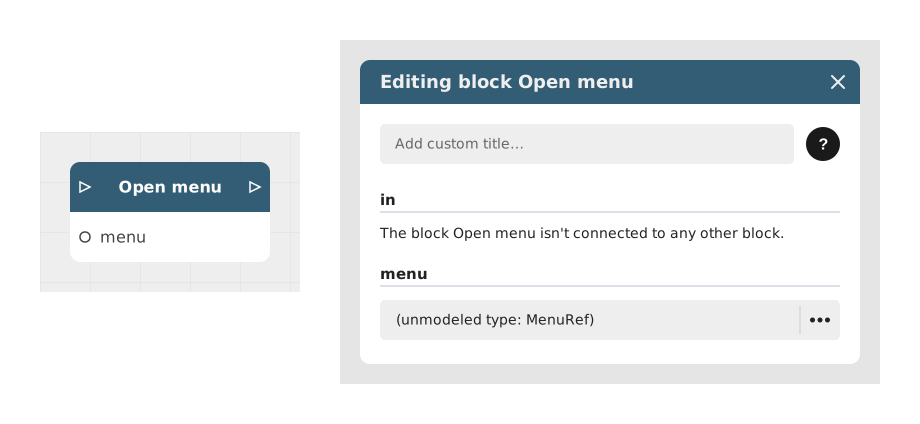
The Open Menu block allows you to dynamically display a preconfigured menu interface in your Celestory project, such as a main menu, an inventory or a custom popup.
This block is particularly useful for triggering pop-up interfaces without interrupting the main flow of the experience, such as displaying an options menu or inventory overlay.
📥 Entries
- in (Flow): Entry point triggering the opening of the selected menu.
- menu (Menu): Selection of the menu to display among those configured in the project (available types: "Main", "Custom", "Overlay/overlay").
📤 Outings
- out (Flow): Exit point activated once the menu open instruction has been processed, allowing the logical flow to continue.
💡 Example of use
Scenario: Show a menu of options when pressing the Escape key
- The user presses the Escape key during a gaming session.
- A trigger detects this action and activates the Open Menu block.
- In the menu entry, select the "Options" menu previously configured as an overlay.
- The options menu appears immediately on the screen, without interrupting the background flow.
- The out flow can be used to temporarily disable certain interactions while the menu is open.
⚙️ Technical Details
- Management of menu types: Menus opened via this block can be of type main, custom or overlay, but do not manage HUD menus (treated separately).
- Asynchronous behavior: The out flow is activated immediately after opening the menu, without waiting for it to close. Background logic continues to run while the menu is displayed.
Documented version: v1
Updated on: 06/09/2026
Thank you!