
🟥 Sequence
🟥 Sequence
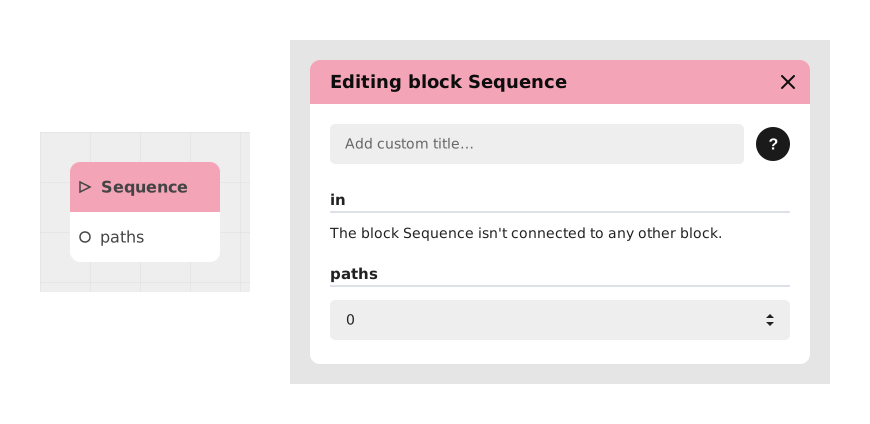
The Sequence block allows you to distribute a flow to several outputs in a sequential and cyclical manner. Each time it is activated, it activates the next output in the defined order, then starts at the beginning once the last output is reached.
This block is particularly useful for creating repetitive behaviors with variations, such as evolving dialogues, action cycles or task rotations.
📥 Entries
- in (Flow): Input point triggering the transition to the next output of the sequence.
- paths (Number): Sets the total number of outputs available in the sequence. For example, a value of 3 will generate three outputs numbered 1 to 3.
📤 Outings
- 1, 2, 3... (Dynamic flows): Outputs dynamically generated according to the value of paths. The first activation triggers output 1, the next triggers output 2, and so on until returning to output 1 after the last one.
💡 Example of use
Scenario: A vending machine with rotating messages
- Place a Sequence block in your flow.
- Configure the paths entry with the value 3.
- Connect a trigger (such as a "Check stock" button) to the in input of the block.
- Connect output 1 to a message: "Stock available: 10 units".
- Connect output 2 to a message: "Out of stock expected in 2 days".
- Connect output 3 to a message: "Contact supplier for replenishment."
- Result: Each time the button is clicked, the message changes in the defined order, then starts again at the first message after the third.
⚙️ Technical Details
- State memorization: The block keeps in memory the last activated output to determine the next one.
- Automatic reset: After reaching the last output, the block systematically returns to the first output during the next activation.
Documented version: v1
Updated on: 06/09/2026
Thank you!