
⬜ HTML5
⬜ HTML5
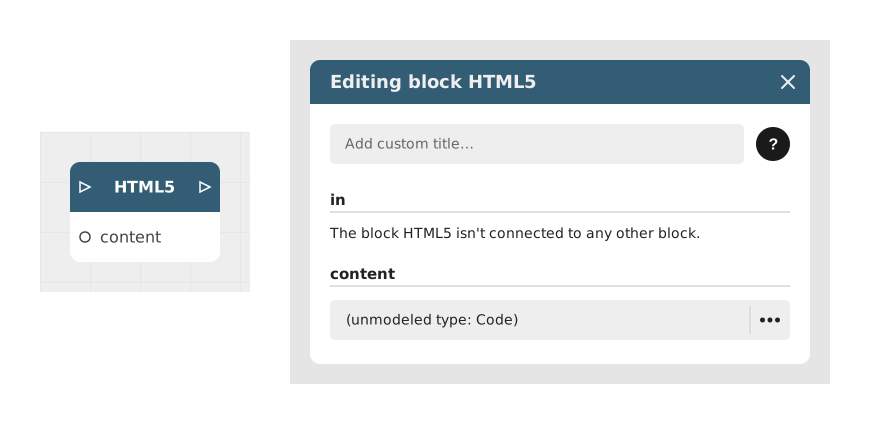
The HTML5 block allows you to integrate and display tailor-made HTML code directly in a Celestory application. It provides the ability to design custom interfaces, buttons or interactive visual elements, while allowing the use of dynamic variables and the creation of custom outputs.
This block is reserved for Business subscriptions and allows advanced integration between web code and Celestory feeds.
📥 Entries
- content (HTML code): Space dedicated to writing or pasting custom HTML code.
- close button (Boolean, on by default): Shows a button that closes the page and continues through
out(only ifoutis connected). - [Dynamic Entries] (Text/Number/Boolean): Additional entries are automatically generated when the {{variable_name}} syntax is used in the HTML code. They allow dynamic data from other blocks to be injected.
📤 Outings
- out (Flow): The only flow output: the experience continues here when the page dispatches the
CelestoryEndevent, or when the player closes it. - [Dynamic Outputs] (Text/Number/Boolean): Value outputs, one per name declared in the code (
<!-- celestory-outputs: score, verdict -->, or thekeyof aCustomEvent('CelestoryOutput', …)). They are not flow outputs.
💡 Example of use
Scenario: Displaying a personalized message with an interactive button
- The user arrives at a stage where he should receive a personalized message.
- The Text block generates a variable {{username}} containing the user's first name.
- The HTML5 block is configured with the following code:
`html
Hello {{username}}!
- The block automatically detects the variable {{username}} and creates a dynamic input to link the output of the Text block to it.
- The block creates a value output button_clicked; when the user clicks, it receives
true. To carry on the story, the page also dispatchesparent.document.dispatchEvent(new CustomEvent('CelestoryEnd')), or the player closes it: the flow goes on throughout.
⚙️ Technical Details
- Handling dynamic variables: The block analyzes the HTML code looking for the {{variable_name}} syntax and automatically creates the corresponding entries. These variables can be of text, number or boolean type.
- 🔺 Valid variable names: only unaccented letters, digits and the underscore (a-z, A-Z, 0-9, _) are recognized. A name containing an accent, a hyphen or a space ({{Prénom}}, {{my-score}}, {{FirstName}}) is not detected: no entry is created, no error message appears, and the placeholder is displayed as-is on screen. Case matters: {{firstname}} and {{FirstName}} are two distinct entries.
- Dynamic outputs: Outputs are generated from the
CustomEvent('CelestoryOutput', {detail: {key: 'output_name', value: ...}})events written in the code. The output is created when the code is analysed, not when the event is dispatched; each dispatch updates its value with the one given invalue. Outputs can also be declared at the top of the page with<!-- celestory-outputs: name1, name2 -->. - Compatibility: This block requires a Business subscription to use. It is designed to work with modern browsers and complies with HTML5 standards.
Documented version: v1
Updated on: 23/09/2026
Thank you!