
🟦 Link
🟦 Link
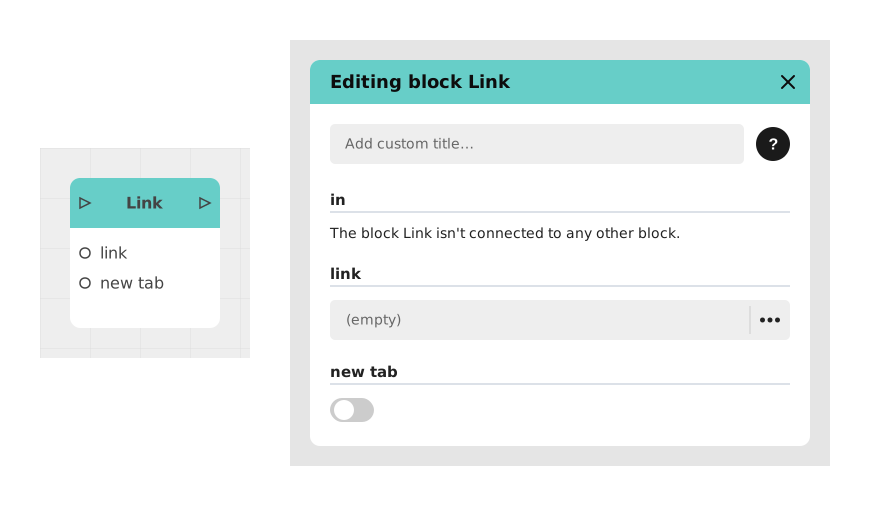
The Link block allows you to instantly redirect the user to an external web page (URL) from a Celestory application.
This block is ideal for linking to a corporate site, a payment page, an external PDF document or any other online resource without leaving the main experience.
📥 Entries
- link (Text): Full URL address to which the user will be redirected (eg: https://www.celestory.io).
- newTab (Boolean): Determines whether the page opens in a new tab (True, default) or replaces the current tab (False).
📤 Outings
- out (Flow): Continues logic execution in the background if the page was opened in a new tab.
💡 Example of use
Scenario: Redirection to an external payment page
- The user clicks a “Pay Now” button in your app.
- The logic flow reaches the Link block.
- The link field is configured with the URL of the payment provider (eg: https://paiement.secure.com/checkout).
- The newTab option is left True to keep the Celestory app in the background.
- The block opens the payment page in a new tab, while allowing the Celestory logic to continue (eg: trigger a timer to check the payment status).
⚙️ Technical Details
- Redirection behavior: The block uses the window.open() API for new tabs or window.location.href for replacing the current tab.
- Security: URLs must be complete (including https:// or http://) to avoid navigation errors. Relative links are not supported.
Documented version: v1
Updated on: 23/09/2026
Thank you!