
⬜ Set HUD
⬜ Set HUD
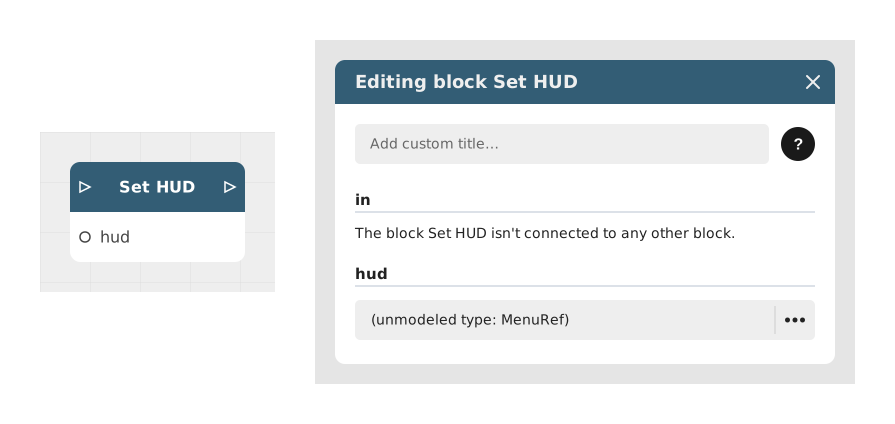
The Set HUD block displays a HUD (Head-Up Display) on screen: a permanent interface shown during play, such as a health bar or a score counter, overlaid on top of the current scene.
That HUD must first be created in the Menus section of your project (as a menu of type HUD). The Set HUD block simply picks which of those HUD menus to show at a given point in the story.
📥 Entries
- in (Flow): Entry point that triggers the display of the chosen HUD.
- hud (HUD menu reference): The HUD-type menu to display, chosen among the ones already created in the project's Menus section.
📤 Outings
- out (Flow): Continues the flow right after the HUD has been displayed.
💡 Example of use
Scenario: Switching to a different HUD in stealth mode
- In the project's Menus section, you have prepared two HUD-type menus: "HUD_Normal" (full health bar) and "HUD_Stealth" (just a noise indicator).
- The player enters an area requiring stealth.
- The flow passes through a Set HUD block, with the hud field set to "HUD_Stealth".
- The HUD shown on screen switches from "HUD_Normal" to "HUD_Stealth".
- The flow continues to the rest of the scenario.
⚙️ Technical Details
- Available menus: Only menus created with the "HUD" type in the Menus section appear in this field's list.
- No HUD created yet: If the project has no HUD-type menu when you add this block, an empty reference is created automatically; fill it in once a HUD exists.
- See also: The "Hide HUD" block hides whichever HUD is currently displayed.
Documented version: v1
Updated on: 23/09/2026
Thank you!