
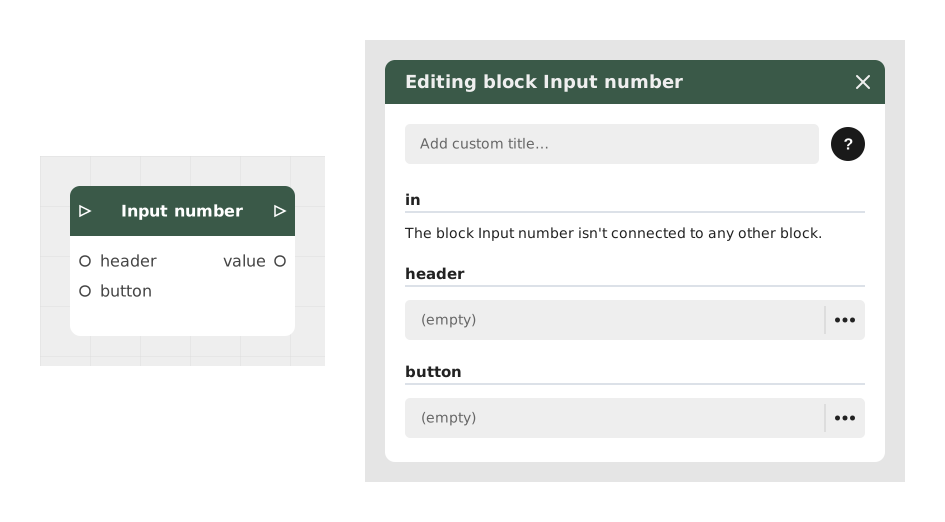
The Input Number block asks the player for a number, using a simple input field.
It's useful anywhere the story needs a number: a calculation, a bet in a game, a setting, an age... On mobile, the numeric keyboard shows up automatically to make typing easier.
📥 Entries
- header (Text): the question or instruction shown to the player (e.g.: "What is your age?").
- button (Text, default "OK"): the text shown on the confirm button.
📤 Outings
- Outgoing Stream: continues the story once the player has confirmed their entry.
- value (Number): the number entered by the player, ready to be used in a calculation or a condition.
💡 Example of use
Scenario: In-store discount calculation
- The player arrives at the checkout with an item priced at €80.
- The Input number block is set up with the header "What discount percentage do you want to apply?" and the button "Confirm".
- The player types "15" on their numeric keypad and taps the button.
- The value (15) is sent to a calculation block to apply the discount (€80 × 0.85 = €68).
- The Outgoing Stream displays the new price and continues the story.
⚙️ Technical Details
- Numeric keyboard: on mobile, the keyboard automatically switches to numeric mode to make typing easier.
- Customizable button: the button text (default "OK") can be changed, for example to "Confirm" or "Submit".
Documented version: v1