Remember information and react to its value.
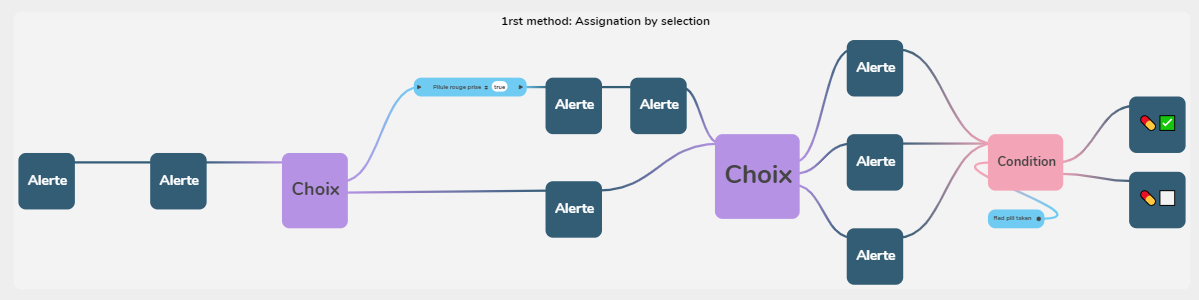
Tutorial on true/false conditions driven by Boolean variables, using the 02 Conditions true/false example: create a variable such as Red pill taken (default False) from Main Menu, Variables, then use it in a condition.
Explains how a word in double curly braces in a text field creates an input point on the block, for example {{FirstName}}. Covers the three steps, the allowed characters, and the fact that an unwired input is replaced by nothing.
Introduces variables as the app's memory through key indicators and lists their types with links: Boolean, Numeric, Text, Image, List, Date, and Single select and Multiple select variables.
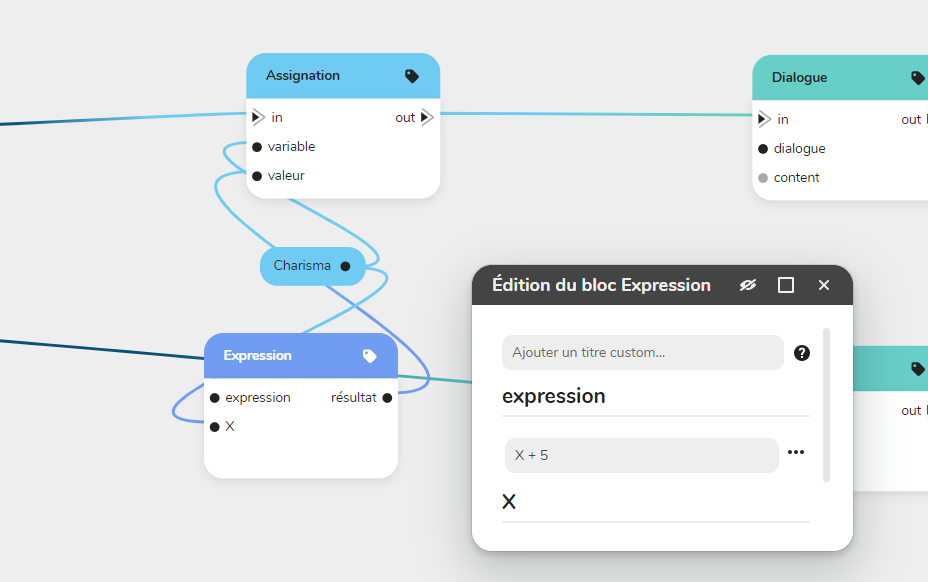
Lists the mathematical operators used to give a variable a new value through the Assign block or to verify a condition through the Condition block: addition, subtraction, multiplication, division, equality and the greater-than comparisons.
Explains numeric conditions: conditions are driven by variables in a graph, and the article shows how to create advanced variables that work with numbers. It recalls the Boolean, Number and Text types and links an example project.
Explains why a variable remembers: without it, a choice made in chapter 1 (telling the guard the truth or lying) would force you to duplicate the rest of the story for each version. A variable lets the graph recall the choice three chapters later.