
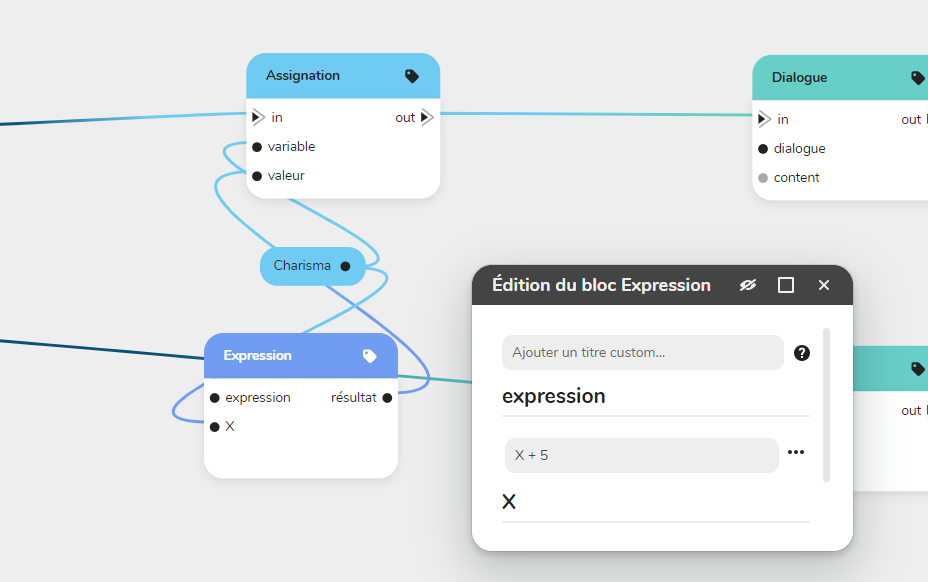
Those operations let you apply a new value to a variable through the Assign bloc
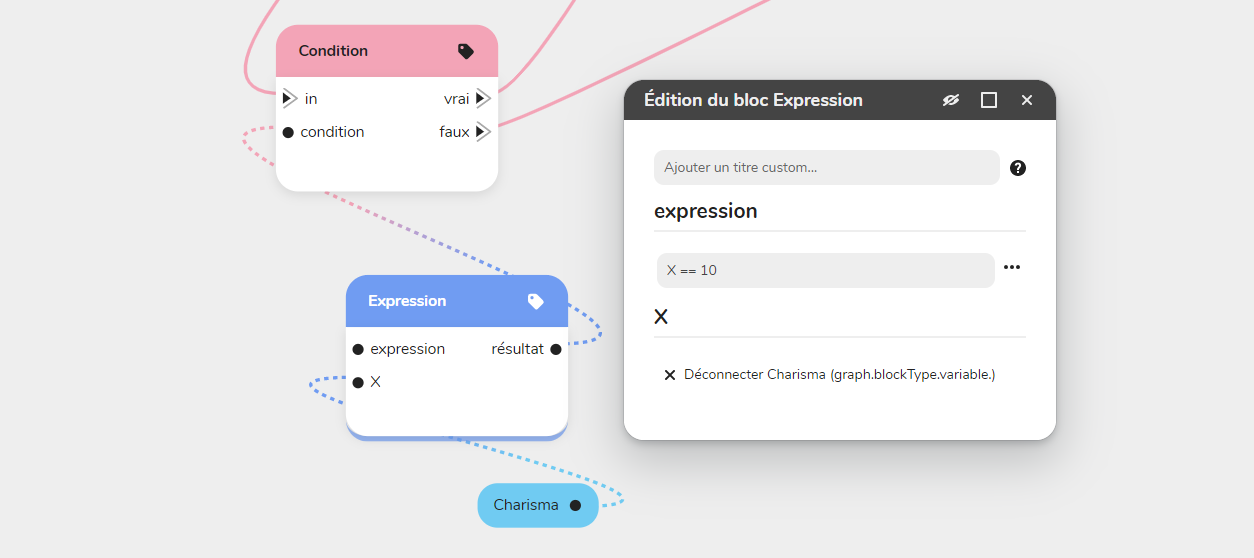
or verify a condition through the Condition bloc.
Mathematical operators (basic)
x + y
Addition
*(y is added to x) *
x - y
Subtraction
*(y is subtracted from x) *
x * y
Multiplication
(x is multiplied by y)
x / y
Division
(x is divided by y)
x == y
Equality
(x equals y)
x < y
Strict inferiority
(x is less than y)
x > y
Strict superiority
(x is greater than y)
x <= y
Inferiority
(x is less than or equal to y)
x >= y
Superiority
(x is greater than or equal to y)
Attention:
Be careful not to accidentally use the = sign (e.g., if the = sign is unique).
x=10
The single equal sign is the operator for assigning a value, and sets the
value from x to 10 (i.e. puts the value 10 in variable x). Be sure to use the instead the double sign equals == (i.e. if (x==10), the == being the operator comparison logic, and which tests whether x is indeed equal to 10 or not).
Mathematical operations (advanced)
Unary:
NOT x (can be written !x)
Inverse logic
(denotes the inverse of x if x is boolean, e.g. NOT true == false)
Calculations :
x ** y
Power (can be written x^y)
x % y
(x is multiplied by x, y times)
Remainder of the Euclidean division (called "modulo")
(x % y is equivalent to what remains of the division of x by y. Ex: 12 % 5 == 2)
Comparison :
x != y Inequality
x !== y (x is different from y)
Strict inequality (! ==) (x is different from y or has a different type)
=== Strict equality (x is equal to y and has the same type)
x > 3 && y < 2 AND (can also be written AND) (The operation is true if both conditions are true at the same time).
x > 3 || y < 2 OR (can also be written OR) (The operation is true if at least one of the two conditions is true).
x > 3 XOR y < 2 OR exclusive (The operation is true if one of the two conditions is true and the other is false).
Syntax:
( ) Parenthesis (Used to prioritize calculations)
. Period (replaces the usual comma)
PlayerName == "Stone"
The "" identifies whether text is a value (and is enclosed in quotation marks) or a variable (without quotation marks).
To go further and learn how to master Number type variables, go to 🧮 Sep up conditions (advanced)