
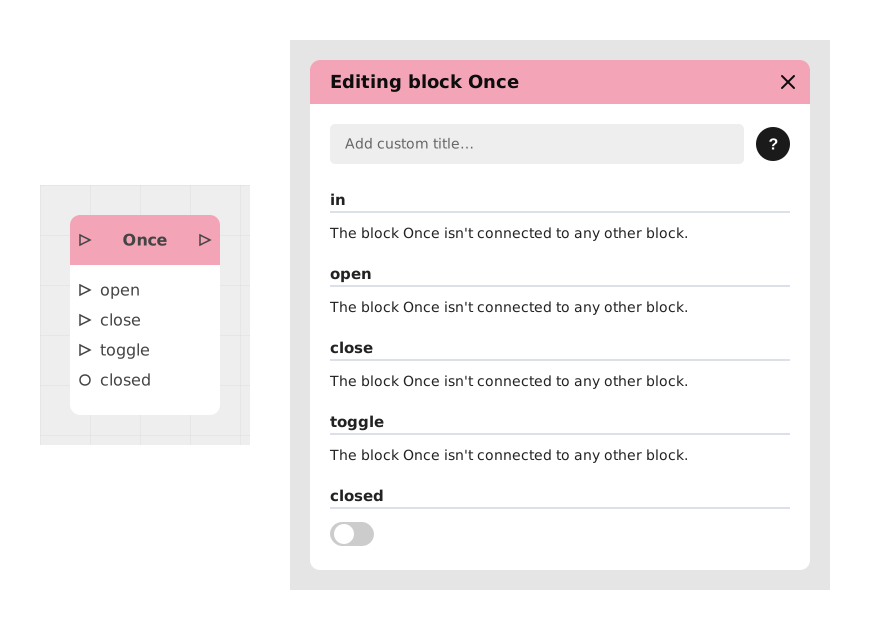
The Once block lets a flow through only once: as soon as a signal has passed through it, it closes itself automatically and blocks any signal that follows, a bit like a single-use lock. Dedicated inputs let you reopen or close it again manually whenever you need to.
This block is ideal for preventing unwanted repetitions (e.g. multiple triggering of a trap) or guaranteeing the uniqueness of an action (e.g. distribution of a reward).
📥 Entries
- in (Flow): Input flow to execute if the block is open. Once passed, the block closes automatically.
- open (Control flow): Forces the block to open, allowing the in flow to pass again.
- close (Control flow): Forces the block to close, blocking any further passage.
- toggle (Control flow): Inverts the current state of the block (open → closed / closed → open).
- closed (Boolean): Initial state of the block upon loading (True = closed, False = open by default).
📤 Outings
- out (Flow): Output flow activated only if the block was open when in was triggered.
💡 Example of use
Scenario: Single-use emergency button
- A red “Alert” button is placed in a level.
- Clicking on this button is connected to the in input of the Once block (set to closed = False).
- The out output triggers an audible alarm and sends a message to the guards.
- The player presses once: the alarm goes off, and the block closes automatically.
- The player presses again: nothing happens, because the block is now closed.
- To reset the button (e.g. after a level reset), a stream is connected to the open input.
⚙️ Technical Details
- Internal behavior: The block always remembers whether it's open or closed. When a signal passes through in, the block automatically closes itself right after (if it was already closed, the signal doesn't get through).
- Priority management: The open, close and toggle inputs change the block's state immediately, no matter its current state.
Documented version: v1