Publish and export your projects: web, apps and other platforms.
Explains the cmi5 export for an LMS: a strict xAPI profile that sends Initialized, Completed, Passed/Failed and Terminated statements to an LRS. Covers its constraints: a compatible LMS and LRS, no testing outside them, CORS required.
Explains the xAPI export: your app sends actor, verb, object and result statements to an LRS, with or without an LMS. You decide when each statement is sent, and the LRS must allow CORS from your export's origin.
Explains step by step how to put a Celestory export (the ZIP file) online on Netlify, a free hosting platform, with no technical skills required, and optionally link your own domain name to it.
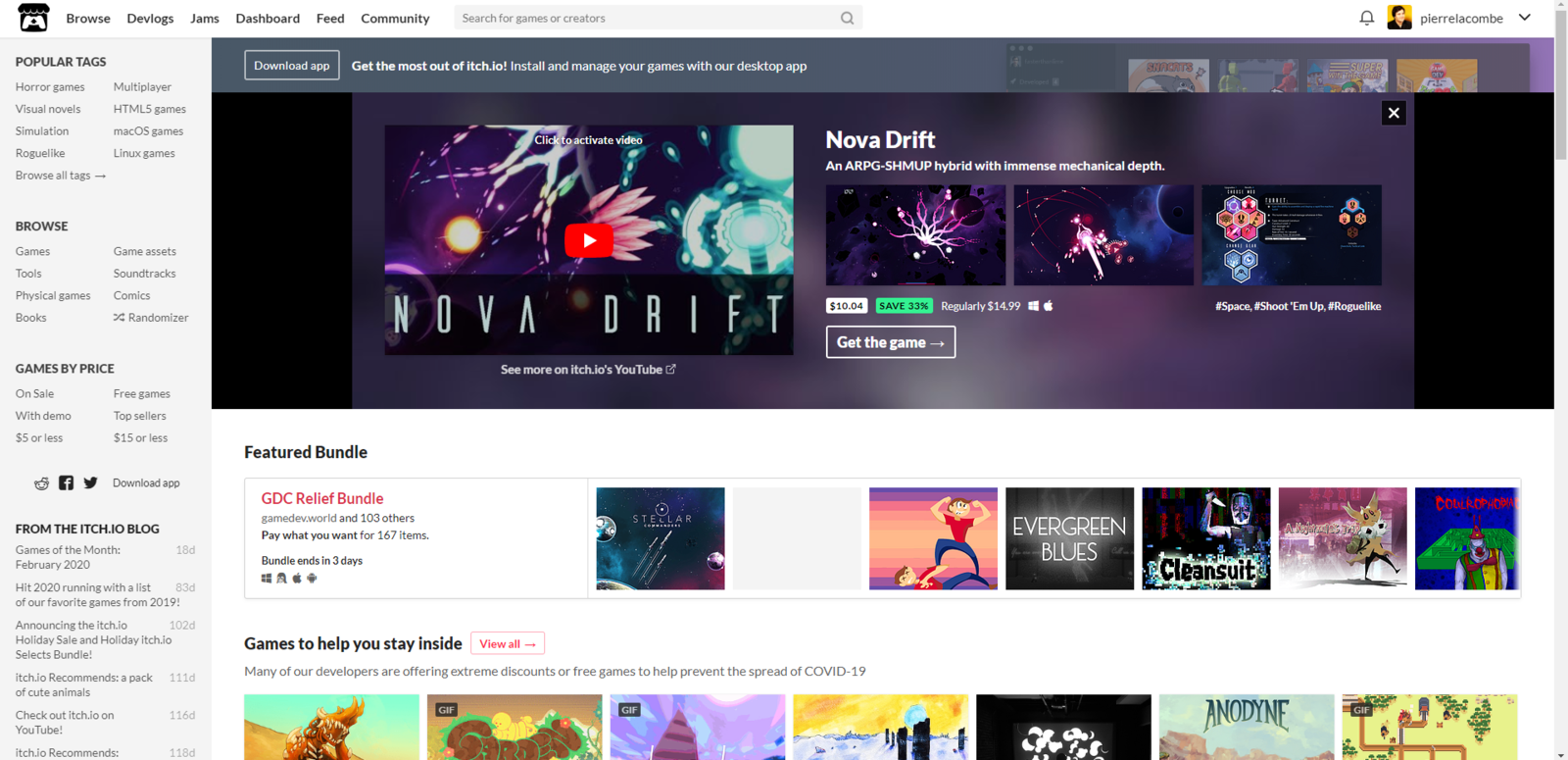
Step-by-step guide to publish an HTML5 export on itch.io: create a project of type HTML, upload the .zip, set the ratio, embed or full screen options, choose public, restricted or private access, then view the publication page.
Explains how to export an app as HTML5 from Publish, Web tab (Pro plan): version number, embedding in a page like a video, full screen, one-link sharing and installation through the Celestory Progressive Web App technology.
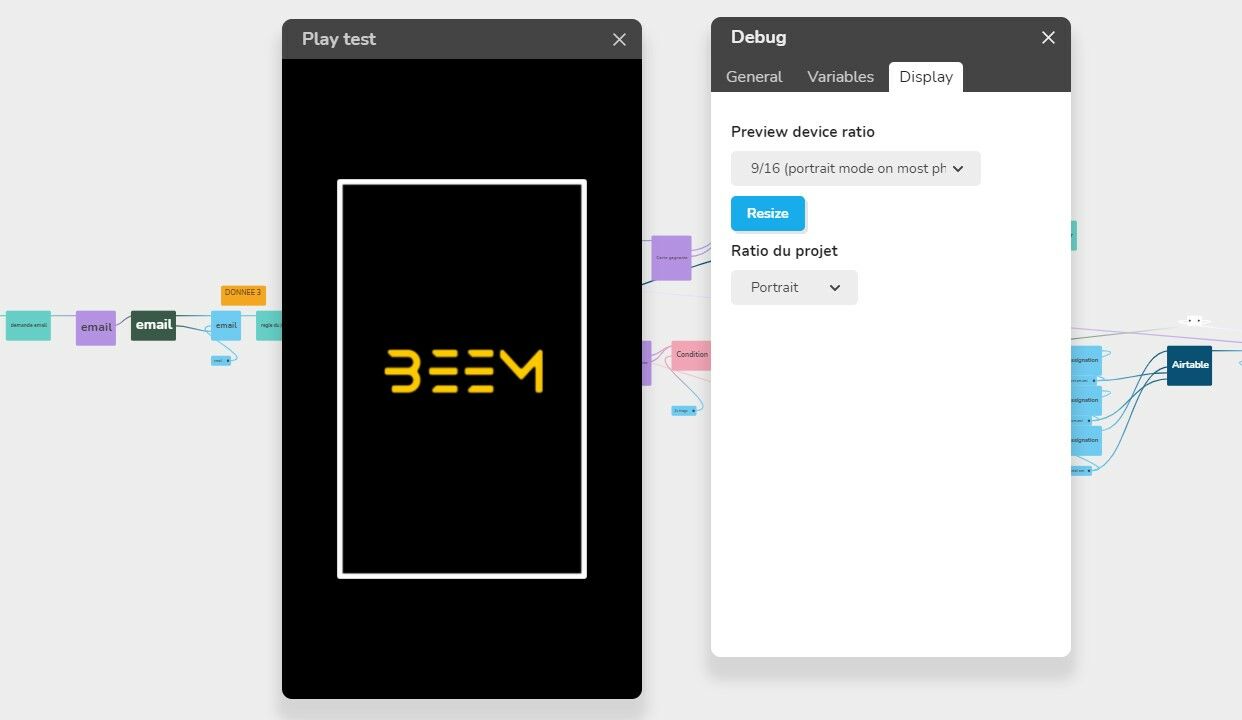
Explains how to adjust the app ratio in the Debug window View tab: Device Ratios only simulate other screens, while Project ratio changes the app (Portrait, Landscape or Responsive) and how each fits different screens.
Presents ways to monetize an app: a free demo up to a given share of the experience, a paid app, in-app purchases (direct or via a virtual currency) and subscriptions. Also shows how to link monetization to variables, using a database to synchronize.
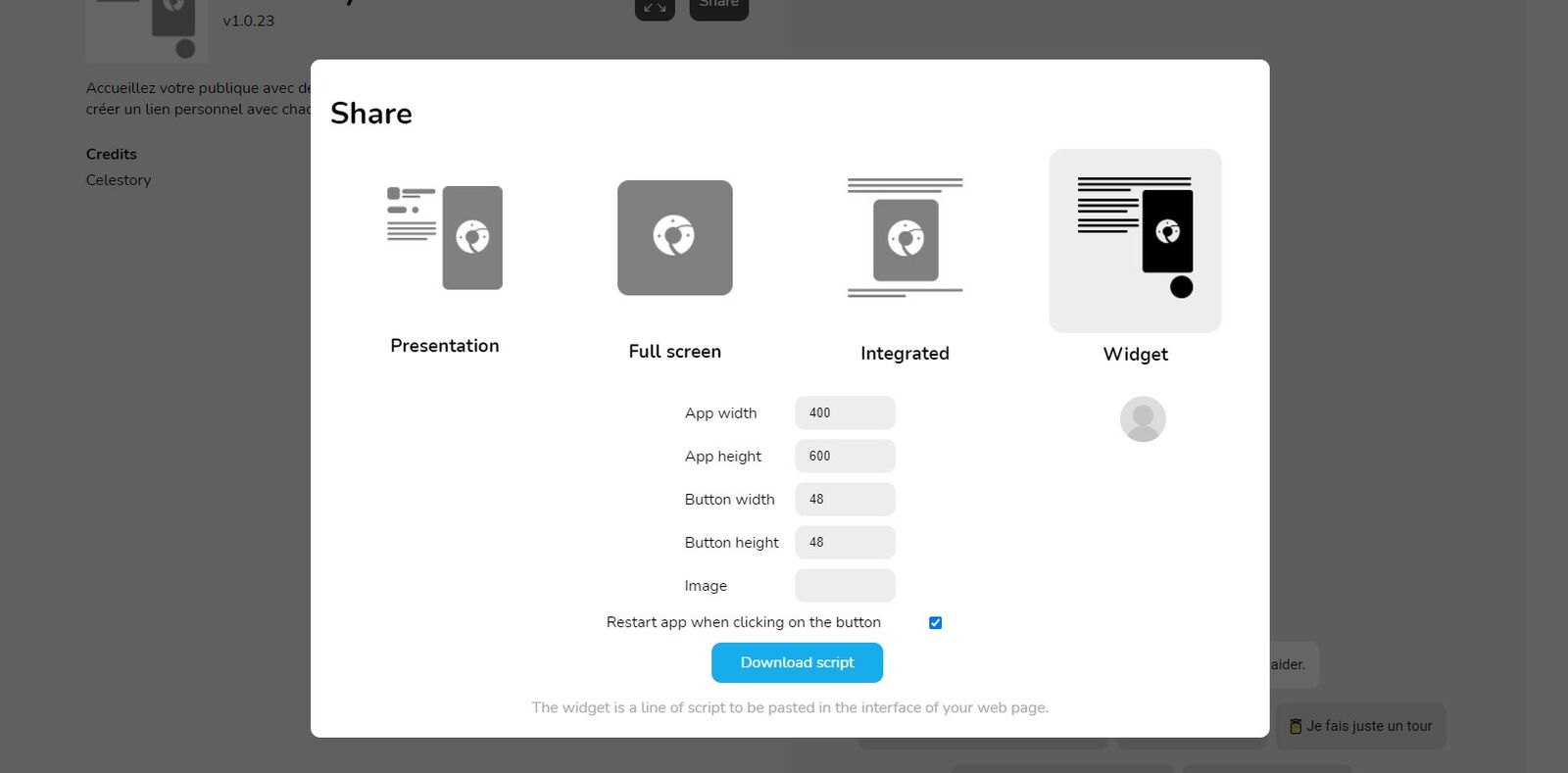
Explains how to display an app over any website as a widget after exporting with Export Direct Link. Choose the Widget sharing option, set the width and height of the app and of the button, paste the button image address, and optionally tick the restart option.
Explains the Scorm tab of the Publish project window, which generates a package for your LMS in SCORM 1.2, SCORM 2004, cmi5 or xAPI (Tin Can). The LMS records each learner's score, success and completion; a Pro plan or higher is required.
Explains how to put a project exported from Celestory online on Itch.io, a site for hosting and sharing games and interactive apps, and optionally point your own domain name to it. Prerequisites include a Web export (ZIP) and an Itch.io account.
Explains why an app exported with Export on Direct Link may not seem updated: the app is up to date, but your system (antivirus, internet provider, extensions) may not refresh the cache. It shows how to check using the app URL.
Explains how to export an app with a single click on Direct Link: click Publish in the top bar, then choose to start with a module or a menu (offered only if the project has a menu). A module starts directly from its Starting block.
Explains the PWA tab of the Publish window, which exports a Progressive Web App that installs on desktop and mobile and works offline. It requires a Pro plan; you click Publish, choose the PWA tab and fill in the PWA fields such as window title.
Explains how to host an app for free on Netlify and link your own domain name. Starts with the preliminary step: finalize the app, go to the export menu and choose the Web version (HTML5) to get the ZIP file.